
Amazon promo code - September 2026 - Picodi Australia
Verified Amazon promo codes and deals by Picodi Australia Team
- Remote: 15% Off For Startups! Visit the store now.

CODE 15% Off For Startups | Remote code
Remote enables startups to hire, manage, and pay around the world with ease so they can focus on scaling and strategy. With the Remote for Startups promotion, qualified startups receive a 15% discount on Remote service fees for an unlimited number of hires for 12 months with the Remote code.
Expires: Ongoing - AUD20CODE
 Verified
$20 Off Orders Over $100 with Amazon promo code
Get $20 off when you spend at least $100 with the Amazon promo code. This offer can be used across a maximum of 3 transactions.
- Verified
Expires: 1/10/26 - $30PROMO
From $30 Home Electronics | Amazon
Score home electronics from Amazon for prices starting from $30.
Expires: Ongoing - 70%PROMO
- Verified
Up to 70% Off Today's Top Deals | Amazon
Enjoy up to 70% off today's top deals from Amazon!
- Verified
Expires: Ongoing - $10PROMO
- Verified
From $10 Basics | Amazon
Shop basics from Amazon for prices starting from $10.
- Verified
Expires: Ongoing - 50%PROMO
Up to 50% Off Select Books | Amazon
Get up to 50% off select books on Amazon!
Expires: Ongoing - $5PROMO
- Verified
From $5 Best Sellers | Amazon
Shop best sellers from Amazon for prices starting from $5.
- Verified
Expires: Ongoing - 40%PROMO
- Verified
Up to 40% Off Electronics | Amazon
Enjoy up to 40% off electronics from Amazon!
- Verified
Expires: Ongoing - PROMO
Big September Sale
Huge savings are wating for you this September.
Expires: Ongoing
More about Amazon:
General information about Amazon
Amazon is an American e-commerce and cloud computing giant, founded in 1994 in Washington. The company was initially an online book marketplace, which quickly expanded into other areas. Nowadays, Amazon is considered to be the biggest e-commerce platform in the world.

The Amazon logo features the brand name, “Amazon”, presented in a dark, sans serif font. Additionally, the logo incorporates a curved arrow forming a smile, meaning that everything from A to Z can be found on Amazon.
What can be bought in Amazon?
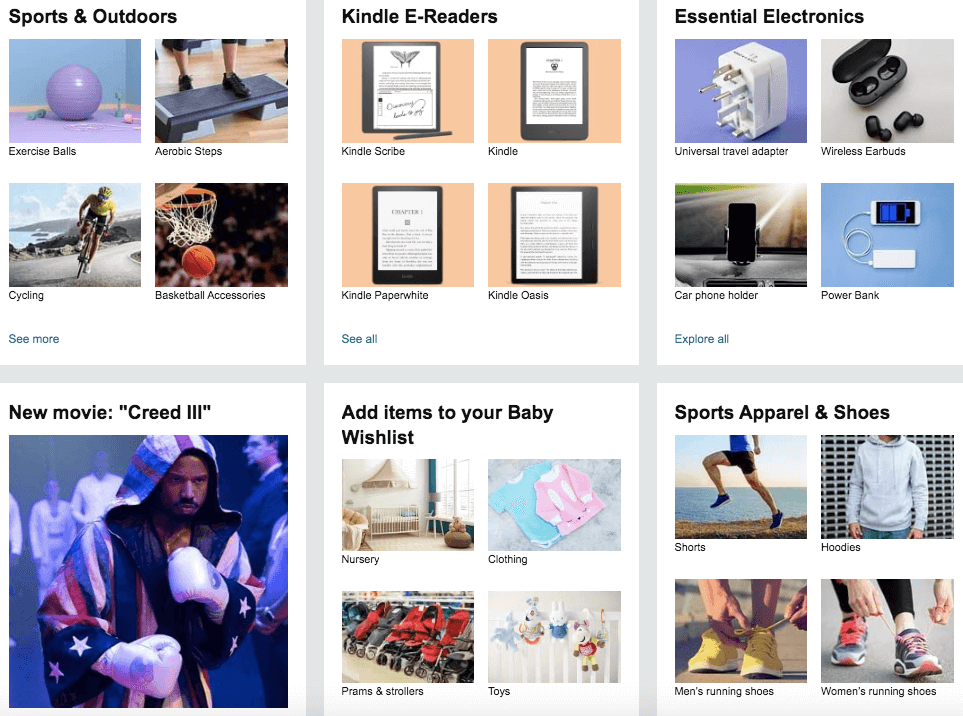
Amazon is well known for its extensive product range, encompassing clothing, footwear, cosmetics, electronics, home accessories, toys, books, sports equipment and more. The platform offers a diverse selection of items from numerous sellers, creating a convenient one-stop destination for customers to find everything they need or desire in a single place.
How to find Amazon promo code?
Amazon coupon codes are regularly offered on their Coupons website. Alternatively, you can check Picodi.com, a website which provides promo codes and cashback deals for Amazon products.
You can also try our Picodi extension, which will automatically check if any Amazon coupon code is available and will apply it to your order.
How to use Amazon promo code?
In the case of coupons from Amazon’s coupons subpage, the coupons claimed there will automatically be applied to your order. For all other Amazon promo codes, here’s a step-by-step guide on how to use them:
- Visit Picodi.com and search for Amazon.
- Select a coupon code which suits your order and click “Reveal the Code”.
- Do your shopping on the Amazon website as usual.
- At the checkout find the “Promos” section after you select your payment method.
- Promo will be applied to your order.
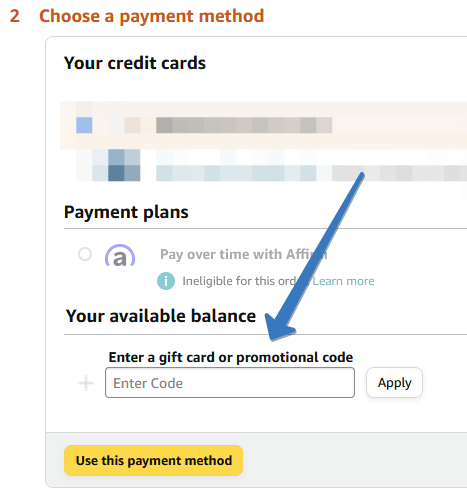
ⓘ Picodi tip: Simplify the process of discovering and applying Amazon coupons with the Picodi extension. This convenient tool eliminates the need for manual searches by automatically scanning and applying the most suitable promo codes to your shopping cart. Download the extension from here.
Does Amazon give a discount on the first purchase?
No, Amazon does not provide a specific discount for the first order. However, customers can take advantage of other Amazon coupon codes, which can be applied to their first order.
Amazon free delivery – availability and terms
Amazon offers free delivery on eligible orders above the $39 minimum order value. The items must have a “FREE delivery” tag on the product page in order to be eligible for free delivery.
Is shopping at Amazon safe?
Amazon is considered to be the biggest marketplace worldwide, trusted by customers all around the world. Additionally, the website prioritizes the security of user data by implementing the secure HTTPS protocol.
Amazon payment methods
Amazon allows for payment to be made with Visa, MasterCard, American Express and UnionPay cards.
Amazon delivery methods
Amazon provides its own delivery services. For items sold by third-party sellers, the delivery speeds and charges are different and depend on the seller.
Amazon alternatives
Amazon has other, just as popular alternatives: